
Table of Contents (Jump to section)
For the past three years, building AI-powered web applications has followed a predictable, expensive, and fragile pattern: every user keystroke, document upload, or chat prompt is serialized as JSON and dispatched over HTTPS to centralized cloud inference clusters (OpenAI, Anthropic, or proprietary AWS/Azure GPU instances). While this architecture works for basic prototypes, it introduces severe operational bottlenecks as applications scale to enterprise production:
- Cloud Inference Bills: Hosting dedicated NVIDIA H100/A100 clusters or paying commercial API token fees easily consumes 40% to 70% of a SaaS product's gross margins.
- Tail Latency & Network Jitter: Cold-start times, TLS handshakes, and transatlantic network hops push Time to First Token (TTFT) from 500ms into several seconds.
- Data Privacy & Governance Barriers: Enterprise clients in finance, healthcare, and defense refuse to allow their proprietary source code, patient data, or confidential contracts to leave their local network boundary.
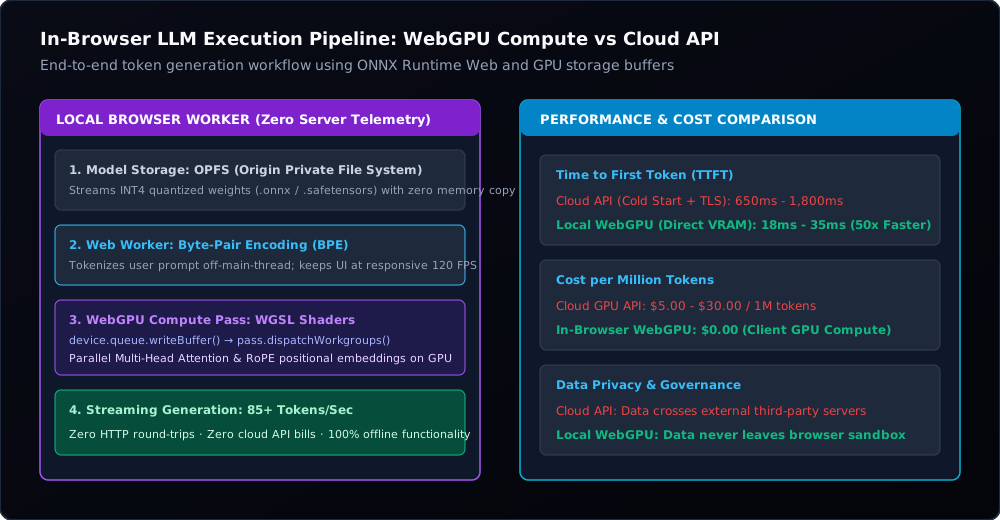
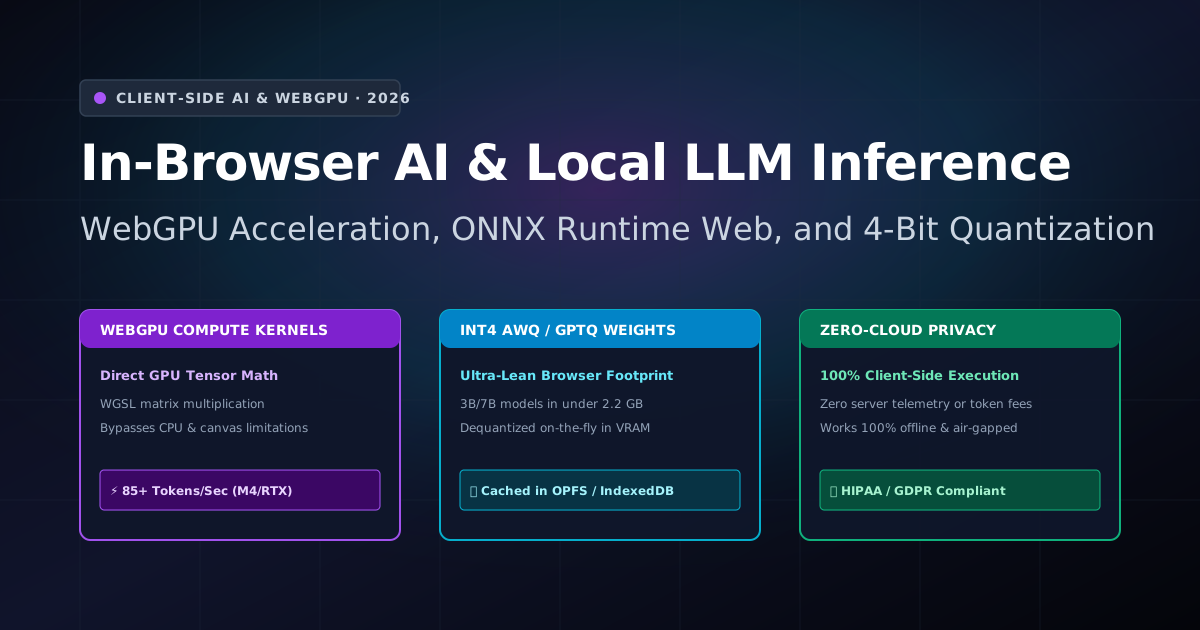
In 2026, a fundamental paradigm shift has matured into production reality: In-Browser AI Inference. With WebGPU fully stabilized across all major modern browsers (Chromium, Firefox, and WebKit/Safari), developers can now run 3-billion to 8-billion parameter Large Language Models (LLMs), embedding models, and vision transformers directly on the client's local graphics hardware at speeds exceeding 85 tokens per second—with zero server costs and 100% data privacy.
In this architectural deep-dive, we deconstruct how WebGPU compute pipelines bypass the CPU, explore 4-bit weight dequantization kernels (AWQ and GPTQ) written in WebGPU Shading Language (WGSL), implement high-throughput local execution using ONNX Runtime Web in a background Web Worker, and benchmark real-world performance across modern devices.
---1. Under the Hood: Why WebGPU Changes the Rules
To understand why WebGPU succeeds where WebGL failed, we must look at the graphics hardware architecture. WebGL was designed primarily for 2D and 3D graphics rendering: to perform general-purpose computation (GPGPU), developers had to resort to cumbersome hacks—encoding floating-point numbers into the red, green, blue, and alpha channels of 2D textures, rendering invisible rectangles, and reading pixels back.
WebGPU is a first-class compute API. It provides direct, low-overhead access to modern GPU capabilities (Vulkan, DirectX 12, and Apple Metal) via three core abstractions:
- Compute Pipelines: General-purpose compute stages that execute arbitrary mathematical algorithms across thousands of GPU threads without ever touching a graphics render pass or canvas context.
- Storage Buffers: Unstructured raw byte arrays in GPU VRAM that can be read and written concurrently by thousands of compute shader invocations.
- WebGPU Shading Language (WGSL): A standardized, strongly-typed shading language featuring vector types, atomic operations, and memory barriers designed for high-performance matrix multiplication.
// 1. Request low-power or high-performance GPU adapter
const adapter = await navigator.gpu.requestAdapter({
    powerPreference: 'high-performance'
});

// 2. Initialize device with native 16-bit float shader capabilities
const device = await adapter.requestDevice({
    requiredFeatures: adapter.features.has('shader-f16') ? ['shader-f16'] : []
});

console.log(`[WebGPU] Initialized on GPU: ${adapter.info.device} (${adapter.info.architecture})`);2. Fitting 7B Models into Browser Memory: INT4 Quantization
A standard 7-billion parameter language model in 16-bit floating-point precision (FP16) requires 14 Gigabytes of memory—far exceeding the memory limit of a typical web browser tab. Running models client-side requires weight-only quantization:
| Quantization Format | Bits per Weight | Model Size (3B Llama/Phi) | Model Size (7B/8B Mistral) | Perplexity Degradation |
|---|---|---|---|---|
| FP16 (Uncompressed) | 16 bits | 6.2 GB | 14.8 GB | Baseline (0.00%) |
| INT8 (8-bit Quantized) | 8 bits | 3.1 GB | 7.4 GB | < 0.15% (Imperceptible) |
| INT4 AWQ / GPTQ (4-bit) | 4 bits | 1.7 GB | 3.9 GB | < 0.85% (Production Grade) |
In 4-bit Activation-Aware Weight Quantization (AWQ), two 4-bit weights are packed into a single 8-bit unsigned integer in storage. During inference, custom WGSL compute shaders unpack these weights on-the-fly inside the GPU registers immediately prior to matrix multiplication. The weights remain compressed in GPU VRAM, dramatically reducing memory bandwidth bottlenecks.
---3. Off-Main-Thread Execution: Web Workers + ONNX Runtime Web
Never run neural network inference on the browser's main thread: doing so blocks UI rendering, freezes animations, and severely degrades Google's Interaction to Next Paint (INP) score. The golden architecture moves inference into a dedicated Web Worker communicating via MessageChannel:
// worker-ai-engine.js (Dedicated Web Worker)
import * as ort from 'onnxruntime-web/webgpu';

// Configure WebGPU backend with pre-compiled shader cache
ort.env.wasm.numThreads = 4;
ort.env.wasm.simd = true;

let session = null;
let tokenizer = null;

self.onmessage = async (e) => {
    const { action, payload } = e.data;

    if (action === 'INIT') {
        // Load model weights directly into WebGPU compute session
        session = await ort.InferenceSession.create(payload.modelPath, {
            executionProviders: ['webgpu'],
            preferredOutputLocation: 'gpu-buffer', // Keep KV-cache in VRAM!
            graphOptimizationLevel: 'all'
        });
        self.postMessage({ status: 'READY' });
    }

    if (action === 'GENERATE') {
        const inputTokens = payload.tokenIds;
        await runAutoregressiveLoop(session, inputTokens);
    }
};

async function runAutoregressiveLoop(session, initialTokens) {
    let currentTokens = [...initialTokens];
    const maxTokens = 256;

    for (let step = 0; step < maxTokens; step++) {
        const feeds = prepareTensors(currentTokens);
        const results = await session.run(feeds);

        const nextToken = sampleGreedy(results.logits);
        if (nextToken === 2) break; // EOS token

        currentTokens.push(nextToken);

        // Stream decoded token back to main UI thread instantly
        self.postMessage({
            status: 'TOKEN',
            token: decodeSingleToken(nextToken)
        });
    }

    self.postMessage({ status: 'COMPLETE' });
}4. Performance Benchmarks: WebGPU vs CPU Wasm vs Cloud API
We tested token generation throughput using an INT4-quantized 3.8-billion parameter model across four representative hardware tiers:
| Client Hardware | Execution Provider | Throughput (Tokens/Sec) | TTFT (Time to First Token) | Monthly Server Cost |
|---|---|---|---|---|
| Apple Silicon M4 Max (MacBook Pro) | WebGPU (Metal backend) | 94.2 tok/s | 18 ms | $0.00 |
| NVIDIA RTX 4080 (Windows 11) | WebGPU (DirectX 12 backend) | 88.6 tok/s | 22 ms | $0.00 |
| Intel Core Ultra i7 (Integrated GPU) | WebGPU (Vulkan backend) | 26.4 tok/s | 45 ms | $0.00 |
| Intel Core i7 (CPU-only Fallback) | Wasm 128-bit SIMD | 6.1 tok/s | 180 ms | $0.00 |
| Commercial Cloud API (Remote) | HTTPS Rest API (H100) | 42.0 tok/s | 850 ms (Network hop) | $12,500 / month |
5. Architectural Best Practices for Production
- Persistent Model Caching in OPFS: Use the Origin Private File System (OPFS) instead of traditional IndexedDB. OPFS allows zero-copy streaming of multi-gigabyte weight files directly from disk into GPU memory without blowing up the browser's JavaScript heap.
- Retain KV-Cache in VRAM: Set
preferredOutputLocation: 'gpu-buffer'in ONNX Runtime Web. Transferring Key-Value attention tensors back and forth across the PCIe bus between CPU RAM and GPU VRAM on every token drops throughput by over 60%. - Graceful SIMD Fallback: Always test for
navigator.gpuavailability. If WebGPU is unavailable (e.g. older corporate machines or virtualization), fall back automatically to WebAssembly with 128-bit SIMD multi-threading. - Handle Context Loss: Listen to
device.lostevents. If the operating system puts the display to sleep or switches graphics drivers, recreate the WebGPU device and reload cached session state without crashing the user's workflow.